PixelMe Product Redesign
Rebuilding an acquired ad-tech product from the foundation up, so people and AI could both build from it.
Context
By the time I picked it up, PixelMe was carrying nine years of features through two acquisitions (Carbon6 in 2022, then SPS Commerce for $210M in 2025), six top-level areas, four paths to the same job, and no single thing anywhere that said what the product actually was. The business needed a seller to find it and adopt it without getting on a call, and self-serve onboarding was closed because the paths through it did not work.
My Role
I led the redesign end to end (discovery, research, IA, workflows, the design system, visual design, documentation, the AI layer and handoff) over three months, with two PMs, three engineers and a second designer alongside me while I carried my own IC load.
Discovery & Research
Five user interviews and eight internal ones, hundreds of existing feedback items and ten competitors, and out of it came the first sitemap PixelMe had ever had, 70 nodes across six areas. Two things changed the shape of the work, Amazon Attribution was the reason the product had been acquired and yet several screens still treated it as one option among many, and Link Manager, One Link and Smart Attribution were all on their way out.
What I Built
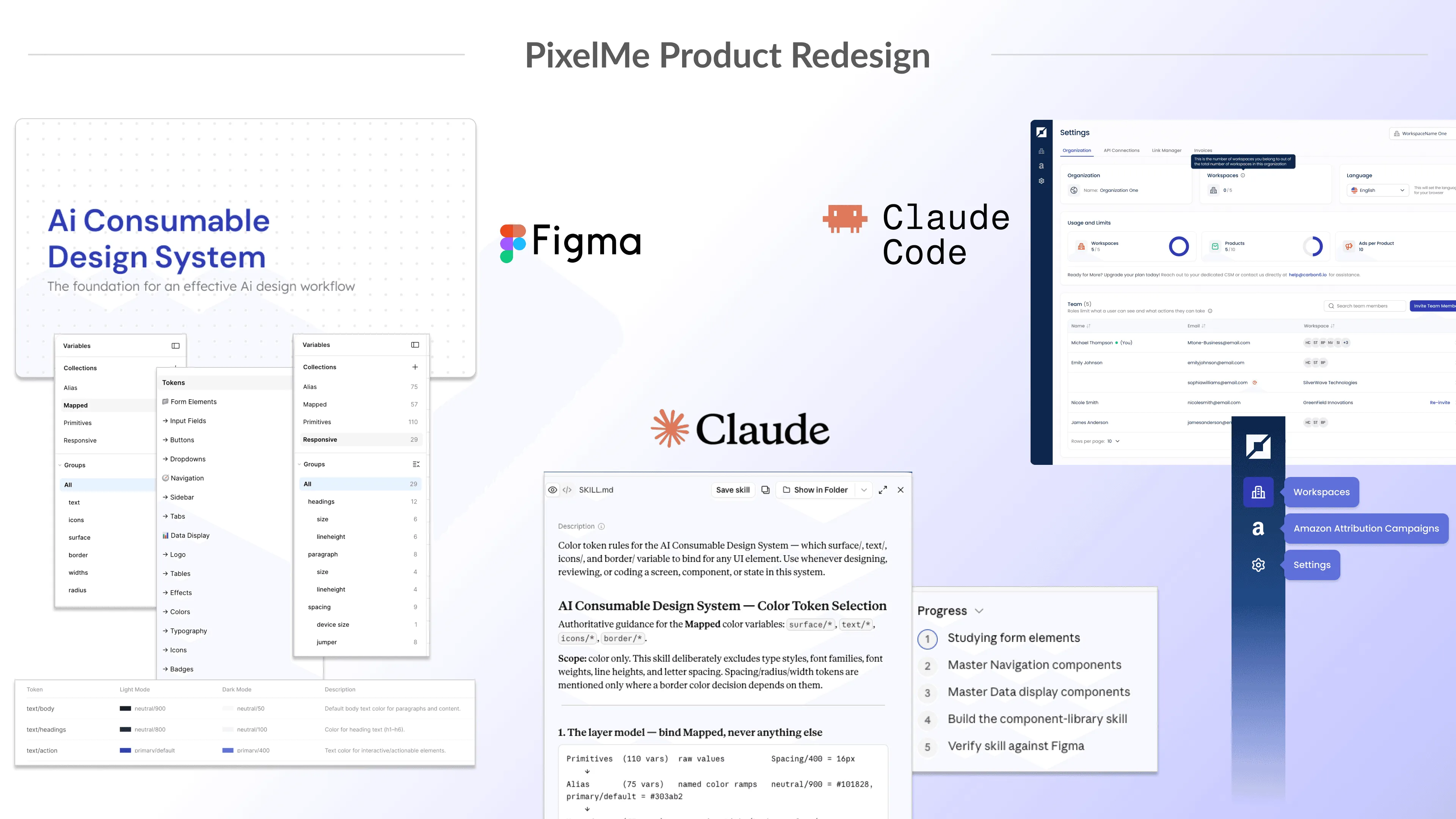
I cut the IA from 70 nodes to 28 and six top-level areas to three, designed 150 screens and states across 8 to 12 flows (the first complete set the product ever had), and rebuilt the design system into three explicit layers (110 primitives, 75 alias ramps, 57 mapped tokens) with 24 component sets on top. Then I made the whole system machine-readable, a skill per document and per audit plus a CLAUDE.md contract, so a designer and an agent build from the same source.
Redesigned product
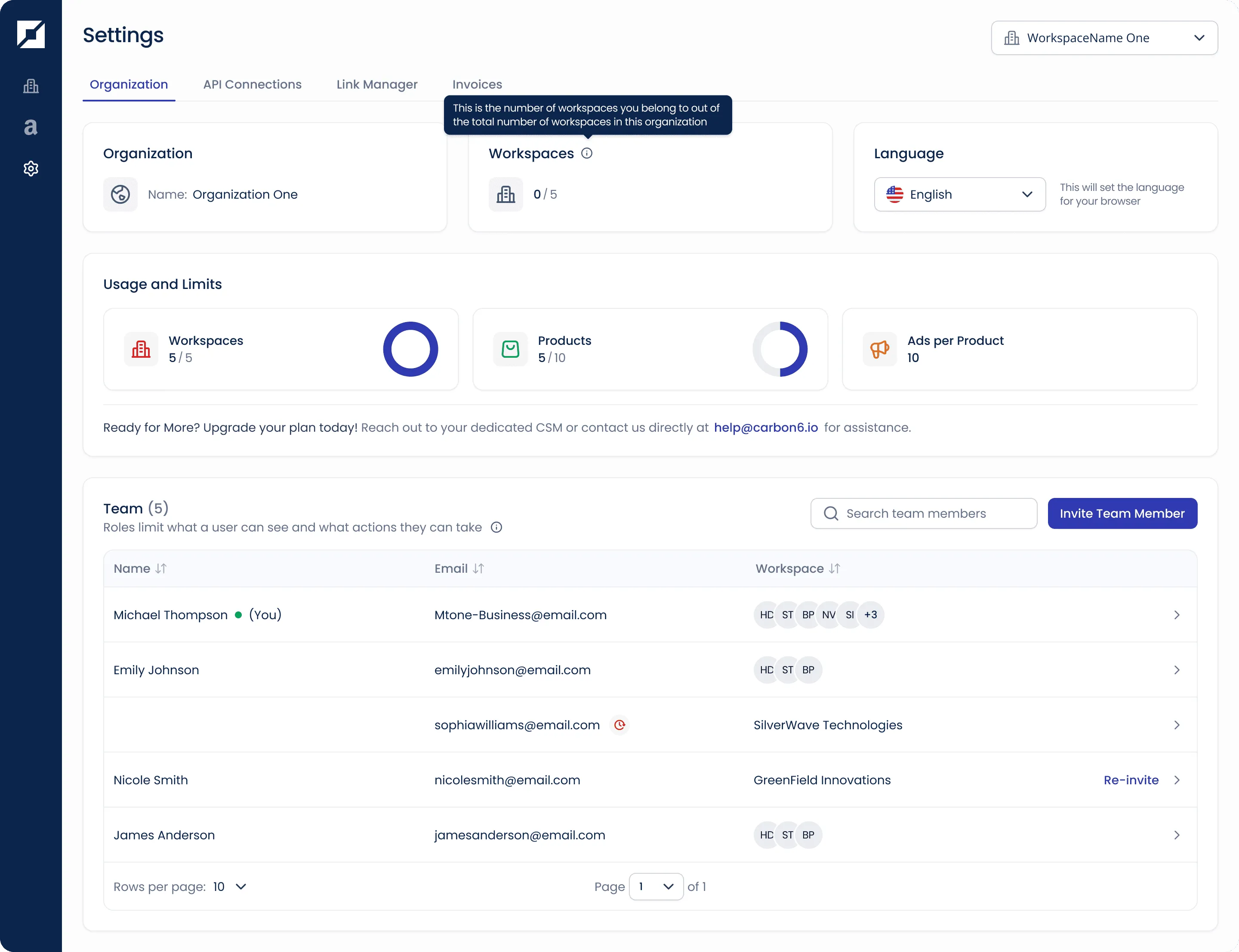
The redesigned Settings screen: workspace and product limits as gauges, a team table with roles and permissions. Less infrastructure to carry, and a clearer product.
What Was Hard
The design system had structure but it was not holding, and I could have built straight on top of it and had screens to show inside the first month, so I stopped and rebuilt the foundation first, under real pressure to show screens instead. The harder part was making the case, foundations before screens is familiar, foundations before screens so that AI can build from them was still speculative in the room, and I defended it to product and the executive team on the compounding cost of not doing it.
The design system
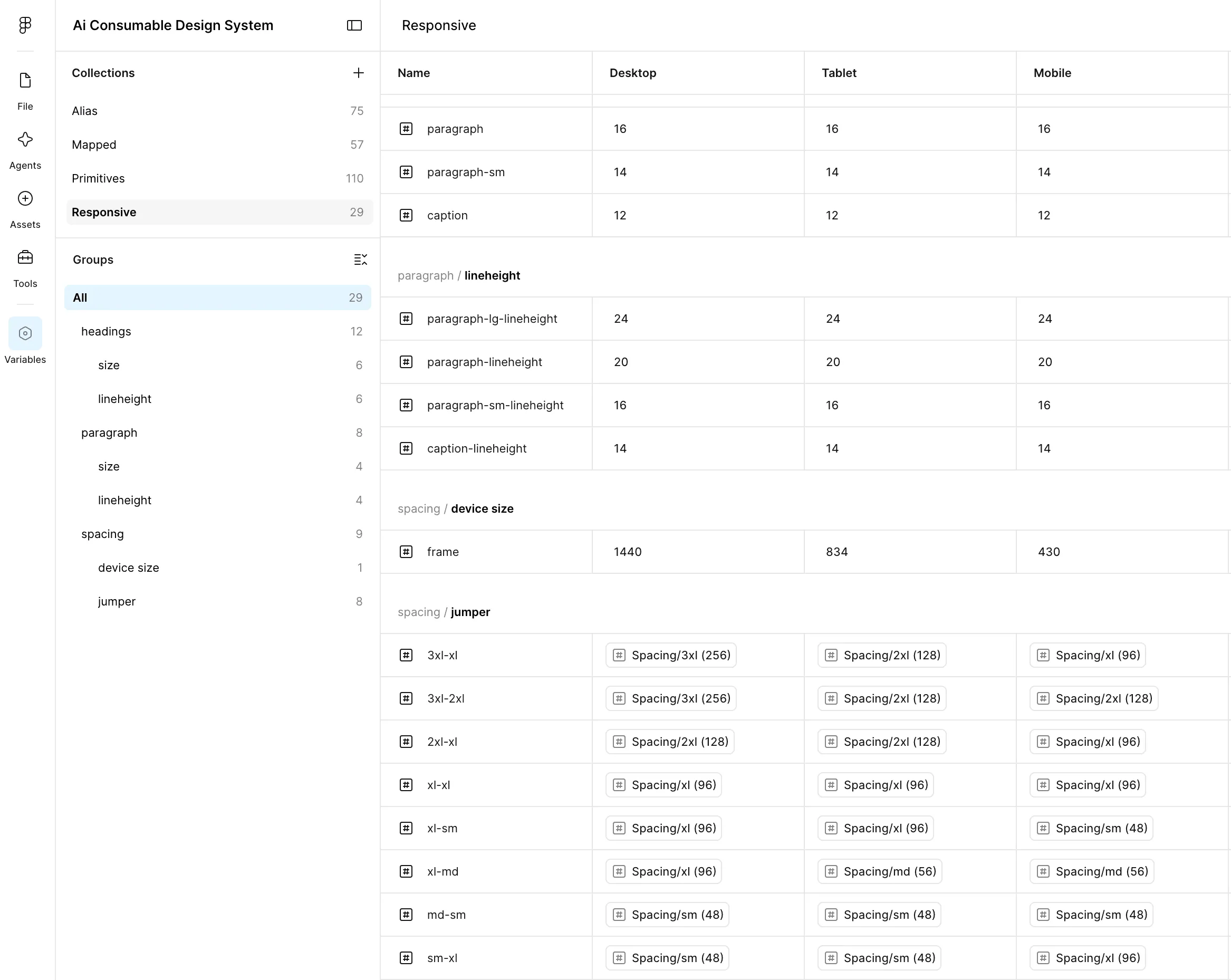
The system rebuilt into explicit token layers — 110 primitives, 75 alias ramps, 57 mapped — resolving across desktop, tablet and mobile. Multi-layered tokenization, and faster development.
What Happened
The new IA and navigation are live, Workspaces and Settings shipped, self-serve onboarding reopened, and ticket time fell by nearly half across bugs and features. Three teams now build on the design system, Workspaces works for everyone instead of being capped and agency-only, and Link Manager, One Link and Smart Attribution are retired from the product.
Guide and documentation
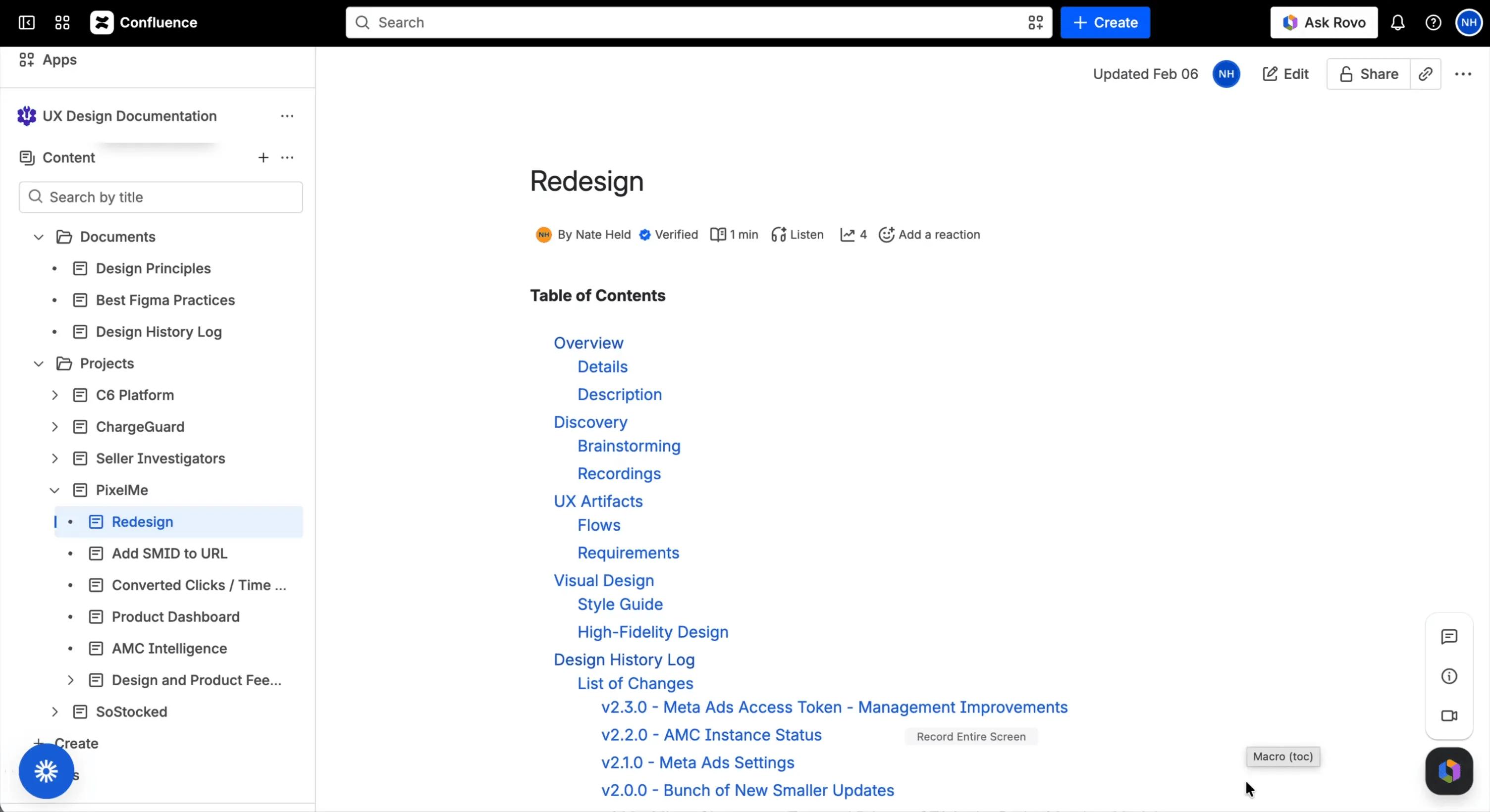
The redesign documented in Confluence, one source a designer and an agent both build from. Shared knowledge, and easier maintenance.
Want a full walkthrough?
Let's talk, I would love to show you how it actually works!